FAQ
Team Settings / Options
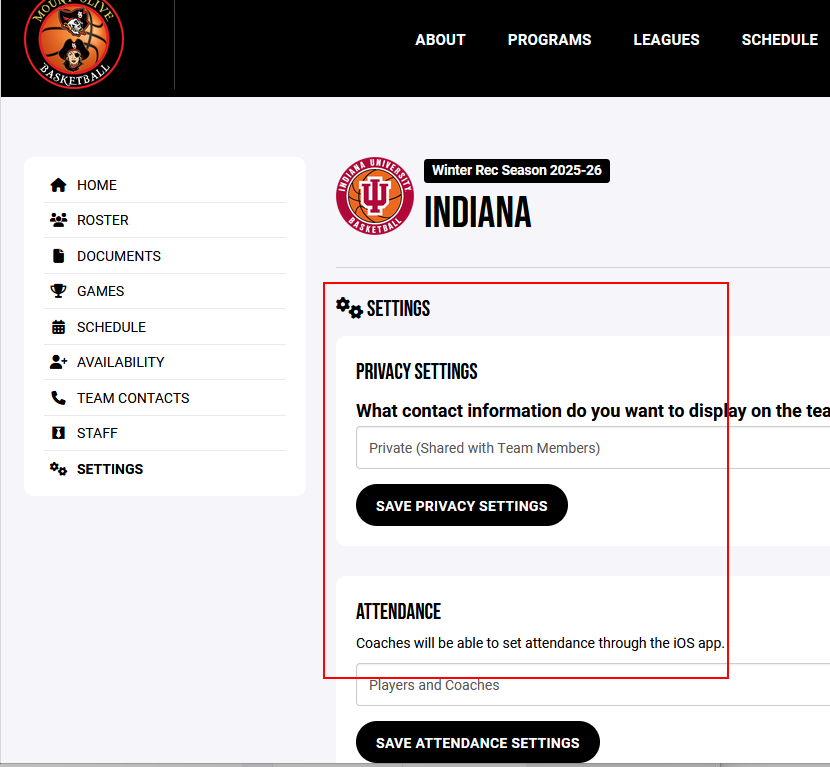
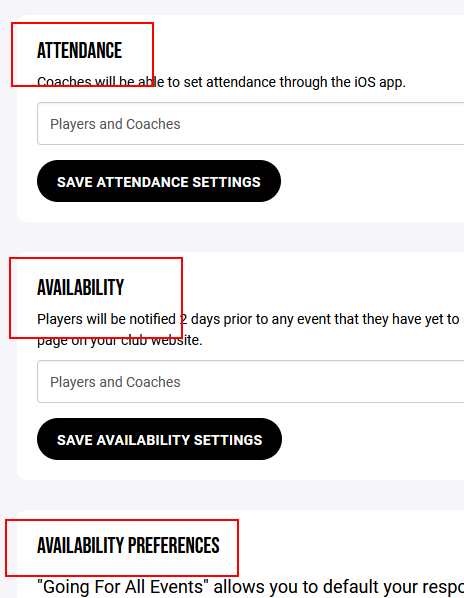
As the coaches, you have the ability to change the setting for your team as necessary for Privacy, Attendance Tracking, Availability and your own Availability Preferences.
These setting can ONLY be changed from the website (not the mobile Crossbar app).
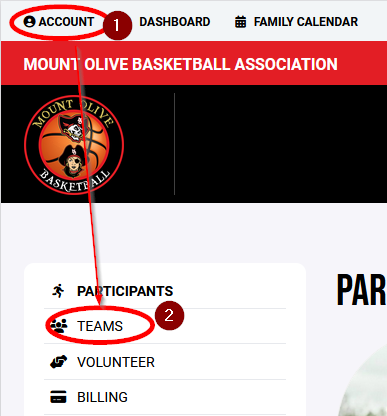
- Go to your Account > Teams
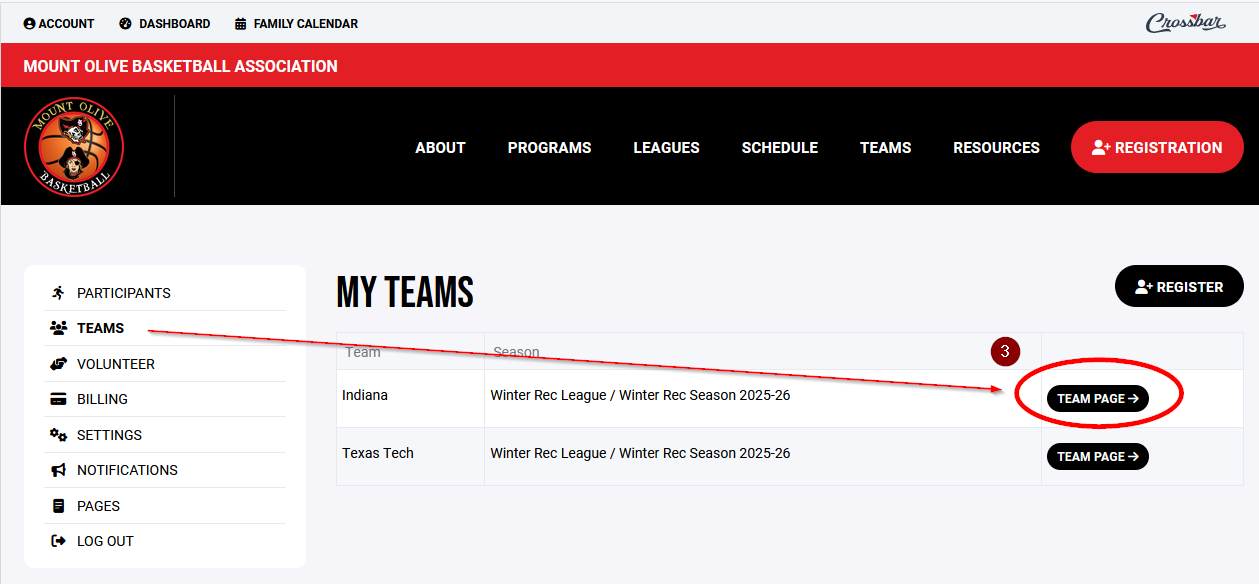
- Click Team Page for the team you want to edit
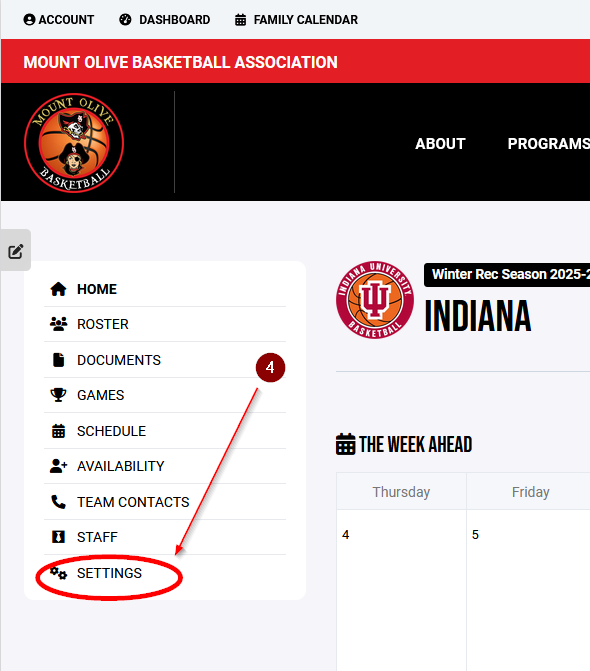
- Click Settings
- Edit the Settings as needed for the different categories